



New features in the Gospel Library can help you find daily inspiration, better participate in meetings, and increase the effectiveness of your gospel study.
The following new features are available now in iOS and in Android. If you don’t see these new features, manually update your app version by going to the App Store or Google Play.
Image of the Week
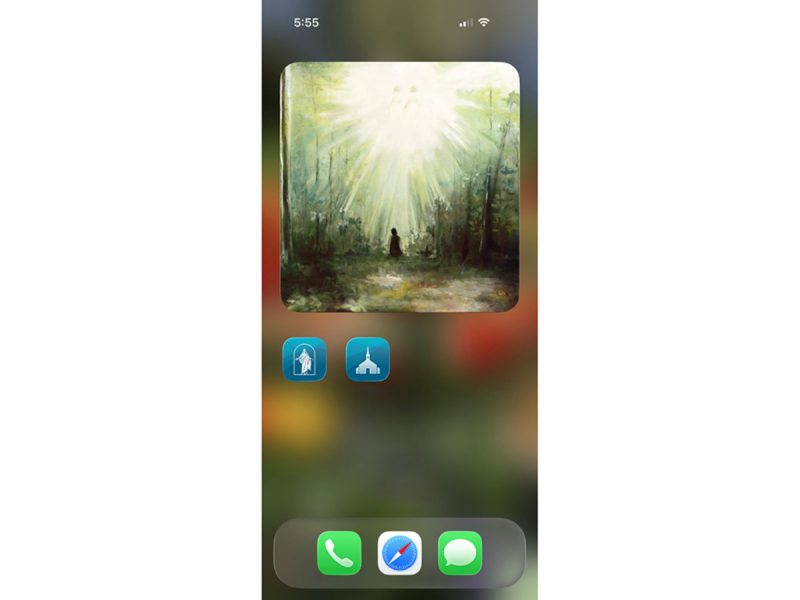
A new Image of the Week card on the Gospel Library app Home depicts scenes from the life and mission of Jesus Christ. The images (unrelated to Come, Follow Me lessons) can help you center your life and mind on the Savior.
- To receive notifications when a new Image of the Week is posted, click the three dots and select Notifications.
- You can also add a new Image of the Week widget to your Home screen so you can see the image on your device without needing to open the app.
Ward and Branch Features
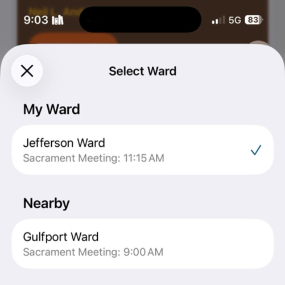
On Sundays, you can view the sacrament meeting hymns of wards or branches you may visit.
- Because this feature is geo-location based, you can simply tap the three dots on the upper-right side of the Hymns card and find wards near the meetinghouse you are visiting.
- Similarly, you can view the posted Relief Society and Elders Quorum lessons and choose which lessons you want to see.
These features are especially helpful to missionaries, high counselors, and frequent travelers who often visit other wards and want to engage more effectively.
Another helpful feature is an updated Callings card for members who have callings in multiple wards.
Featured Study Plans
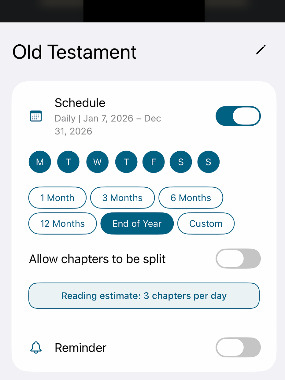
You can now more easily create a personal study schedule for your featured study plans. You can also share a link to specific study plans, so your friends or family can follow the same material at their own pace.
These abilities are especially useful to the youth, who’ve been invited by the Young Women and Young Men General Presidencies to read together one chapter a week from the updated edition of the For the Strength of Youth: A Guide for Making Choices from May to August (open this link with your mobile device to see the FSY study plan).
Full Screen Navigation
A highly requested feature allows Apple iOS users to choose whether or not they want to view the top and bottom toolbars. iOS users can simply double-tap to enter and exit a full-screen view. To enable the Full Screen on Scroll setting, go to Display Options.
The post New Gospel Library Features To Study More Effectively first appeared on LDS365: Resources from the Church & Latter-day Saints worldwide.
Continue reading at the original source →