


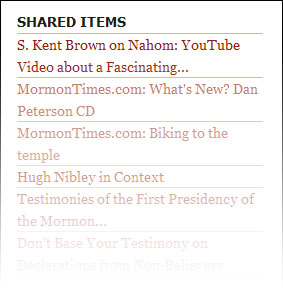
What the Shared Items look like
I use Google Reader (it’s the best, of course!) to browse the Bloggernacle, and whenever I come across a story I like I click the “Share” feature and it automatically adds a link to the story in this section of my sidebar. It’s a quick way to let you peek over my shoulder to see some of the more interesting articles I’ve been reading recently. I currently browse 72 blog feeds from the Bloggernacle. It’s a lot to take in, but I think I’ve got a good system now to sift the wheat from the chaff.
In fact, there is a whole web page devoted to the items I’ve shared with you. You can see it here. This page even has its own RSS feed, if you want to track my shared items in your own reader. In other words, you can track my tracking. Geeky, I know… Occasionally I may comment on an article I see, in which case at the beginning of the shared article you will see my name followed by my comment backed in blue, like this:

Google Reader also gives me the opportunity to share anything else with you from the web as I so choose. So if I come across a web page or something that I find interesting, and if it is not pertinent enough to deserve a full post, I might also add it to the shared items list and perhaps a few comments to go along with it.
Let me know if you like or use this feature of TempleStudy.com in the comments.
Post from: Temple Study - Sustaining and Defending the LDS (Mormon) Temple
Sharing Temples & Apologetics from the Bloggernacle
Related Posts
Continue reading at the original source →